Introduction
Have you ever needed to sign or approve a document instantly without printing, scanning, or mailing it? In today’s digital world, businesses and individuals are replacing traditional rubber stamps with digital stamping.
So what is digital stamping exactly? In simple terms, it’s a digital version of a physical stamp used to mark documents, invoices, contracts, or creative projects electronically. Instead of ink and paper, a digital stamp is usually a transparent image file or cryptographic mark applied directly to digital documents.
The rise of remote work, online contracts, and digital workflows has made digital stamping more popular than ever. According to research by the International Data Corporation (IDC), global spending on digital transformation technologies is expected to exceed $3 trillion by 2026.
In this guide, you’ll learn:
-
What digital stamping is
-
How it works
-
Real-world uses
-
Best tools for creating and applying digital stamps
By the end, you’ll know exactly how to start using digital stamping in your workflow.
What Is Digital Stamping?
Digital stamping is the process of adding a digital seal, signature, or mark to an electronic document to indicate approval, authenticity, branding, or ownership.
It works similarly to a traditional stamp but exists entirely in digital form.
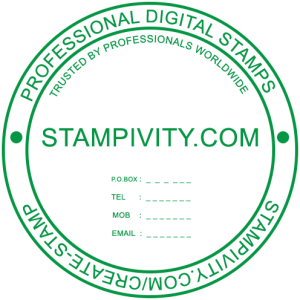
A digital stamp can include:
-
A company seal
-
A signature-style stamp
-
A logo stamp
-
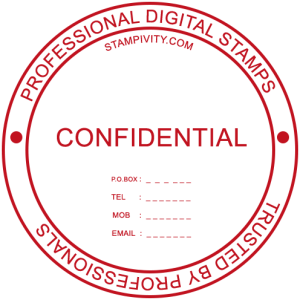
A “PAID”, “APPROVED”, or “CONFIDENTIAL” mark
-
A legally recognized digital certificate
These stamps are typically saved as PNG files with transparent backgrounds or embedded into PDF documents.
Key Characteristics of Digital Stamps
-
Instant application – No printing or scanning required
-
Reusable – Apply to unlimited documents
-
Secure – Some stamps include encryption or verification
-
Customizable – You can design them with logos, signatures, or text
For more technical standards on digital document authentication, see resources from the National Institute of Standards and Technology (NIST) and the Adobe PDF specification.
Why Digital Stamping Is Becoming Popular
Digital stamping is growing rapidly because it saves time and improves document workflows.
1. Faster Document Processing
Traditional stamping requires:
Print → Stamp → Scan → Send
Digital stamping reduces it to:
Upload → Apply Stamp → Send
This can reduce document processing time by up to 70% in many organizations.
2. Remote Work Compatibility
Remote teams need tools that work online. Digital stamps allow employees to approve documents from anywhere.
3. Better Document Tracking
Some advanced digital stamps include metadata, timestamps, or verification systems.
4. Eco-Friendly
Paperless workflows reduce paper waste and printing costs.
If you don’t have a stamp yet, you can create one here:
https://stampivity.com/create-stamp/
Common Uses of Digital Stamping
Digital stamping is used in many industries.
Business Documents
Companies frequently stamp:
-
Invoices
-
Contracts
-
Purchase orders
-
Internal approvals

Examples include stamps like:
-
Approved
-
Received
-
Paid
Legal Documents
Law firms and government offices use digital seals to verify authenticity.
Creative Projects
Artists and designers use digital stamps for:
-
Watermarks
-
Logo branding
-
Scrapbooking designs
-
Digital planners
Education
Schools use digital stamps to mark assignments:
-
Reviewed
-
Graded
-
Approved
How Digital Stamping Works
The process is simple and involves three main components.
1. Create the Stamp Design
You design a stamp using graphic software.
It can include:
-
Logo
-
Signature
-
Circle seal
-
Text label
Most stamps are saved as PNG files with transparent backgrounds.
2. Import the Stamp Into Software
The stamp file is uploaded to software such as:
-
PDF editors
-
document management systems
-
graphic design tools
3. Apply the Stamp to Documents
Once uploaded, you simply click or drag the stamp onto a document.
You can resize or reposition it as needed.
How to Make a Digital Stamp (Step-by-Step)
If you want to know how to make a digital stamp, follow this beginner-friendly method.
Step 1: Choose a Design Tool
You can create a digital stamp using tools like:
-
Canva
-
Photoshop
-
GIMP
-
Illustrator
-
Online stamp generators
Free tools are usually enough for simple stamps.
Step 2: Create Your Stamp Layout
Most digital stamps follow a simple structure:
Circle stamps
Top text: COMPANY NAME
Center: LOGO
Bottom: DATE or LOCATION
Or simple text stamps like:
PAID
APPROVED
CONFIDENTIAL
Use bold fonts to mimic real stamp styles.
Step 3: Use a Transparent Background
This is important.
Your stamp should be exported as a PNG file with transparency so it overlays cleanly on documents.
Without transparency, the stamp will appear as a white box.
Step 4: Add a Stamp Texture (Optional)
To make it look realistic, add:
-
Grain texture
-
Ink effect
-
Rough edges
These design elements simulate traditional rubber stamps.
Step 5: Export the Stamp
Save the file as:
PNG format
High resolution (at least 1000px)
Name example:
approved-digital-stamp.png
Step 6: Import Into a PDF Tool
Open your document in a PDF editor and import the stamp.
Most software allows you to save it as a reusable stamp.
Best Tools for Digital Stamping
Here are some commonly used tools.
1. Adobe Acrobat
One of the most popular tools for applying stamps to PDFs.
Features:
-
Custom stamp library
-
Timestamp support
-
Document security
2. Canva
Great for designing digital stamps quickly.
Features:
-
Templates
-
Easy export
-
Beginner friendly
3. GIMP
A free alternative to Photoshop with strong design capabilities.
4. Online Stamp Makers
Several websites generate stamps instantly.
Just enter your text and download the image.
Digital Stamp vs Digital Signature
Many people confuse these two.
Here’s the difference.
| Feature | Digital Stamp | Digital Signature |
|---|---|---|
| Purpose | Visual approval or branding | Legal authentication |
| Security | Low to medium | High encryption |
| Format | PNG or image | Certificate-based |
| Use case | Marking documents | Signing contracts |
Digital signatures use cryptographic certificates verified by authorities.
Digital stamps are primarily visual markers.
Best Practices for Digital Stamping
To get the most value from digital stamps, follow these tips.
Keep It Simple
Avoid overly complex designs.
A clean stamp is easier to read and recognize.
Maintain Consistency
Use the same stamp design across documents.
Consistency improves brand recognition.
Use High Resolution
Low-resolution stamps look blurry on PDFs.
Always export in high quality.
Store Stamps Securely
If your stamp represents official approval, store the file securely to prevent misuse.
FAQ: Digital Stamping
1. What is digital stamping used for?
Digital stamping is used to mark documents electronically for approval, verification, or branding. Businesses commonly apply stamps like “Approved,” “Paid,” or “Confidential” to PDFs, invoices, and reports to speed up document workflows and avoid manual printing or scanning.
2. Is a digital stamp legally valid?
A digital stamp alone is usually not legally binding unless combined with a certified digital signature. However, it is widely used for internal approvals and document management within organizations.
3. How do I create a digital stamp?
To create a digital stamp, design a stamp using software like Canva or Photoshop, export it as a transparent PNG file, and upload it into a PDF editor or document tool where it can be applied to documents.
4. What file format should a digital stamp be?
The most common format is PNG with a transparent background. This allows the stamp to appear naturally on documents without covering the text or layout.
5. Can I use a digital stamp in PDF documents?
Yes. Most PDF tools allow you to upload custom stamps and apply them to documents. Popular options include Adobe Acrobat and other PDF editing software that support reusable stamps.
Conclusion
Digital stamping is a simple but powerful tool for modern document workflows. By replacing physical rubber stamps with digital versions, businesses can save time, streamline approvals, and reduce paper usage.
Now that you understand what digital stamping is and how to make a digital stamp, you can start creating your own for invoices, contracts, and branding.
Whether you’re a freelancer, business owner, or designer, digital stamps can make your document process faster and more professional.
Ready to create your first digital stamp? Try designing one today and see how much time you save in your workflow.